Smart Lock vs Traditional Deadbolt: Security Comparison
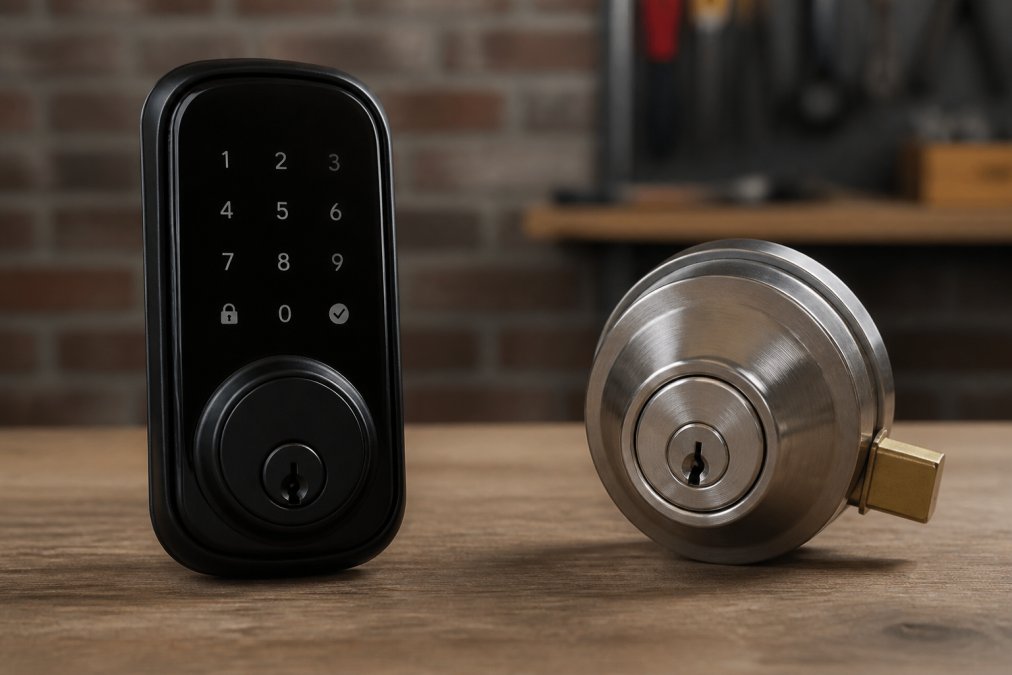
Smart lock vs deadbolt: Compare smart locks and traditional deadbolts for home security. Learn pros, cons, costs, and which option fits your needs. Expert.
Table of Contents
- Smart Lock vs Traditional Deadbolt: Key Differences
- Security and Reliability Comparison
- ANSI Grade 1 Deadbolt Security Standards
- Smart Lock Installation Requirements
- How to Prevent Smart Lock Hacking
- Cost, Maintenance, and Long-Term Value
- Which Option Should You Choose?
- Frequently Asked Questions
Last Updated: August 29, 2026
Smart Lock vs Traditional Deadbolt: Key Differences
When choosing between a smart lock and a traditional deadbolt, you're really deciding between convenience and simplicity. A smart lock vs deadbolt comparison reveals two fundamentally different approaches to home security. Traditional deadbolts have protected homes for over a century with mechanical reliability, while smart locks bring keyless entry, remote access, and integration with your connected home.
The choice isn't about which is objectively superior, it's about what your household actually needs. Lock it All Locksmithing has helped homeowners evaluate both options, and the decision often comes down to lifestyle, budget, and your comfort with technology.
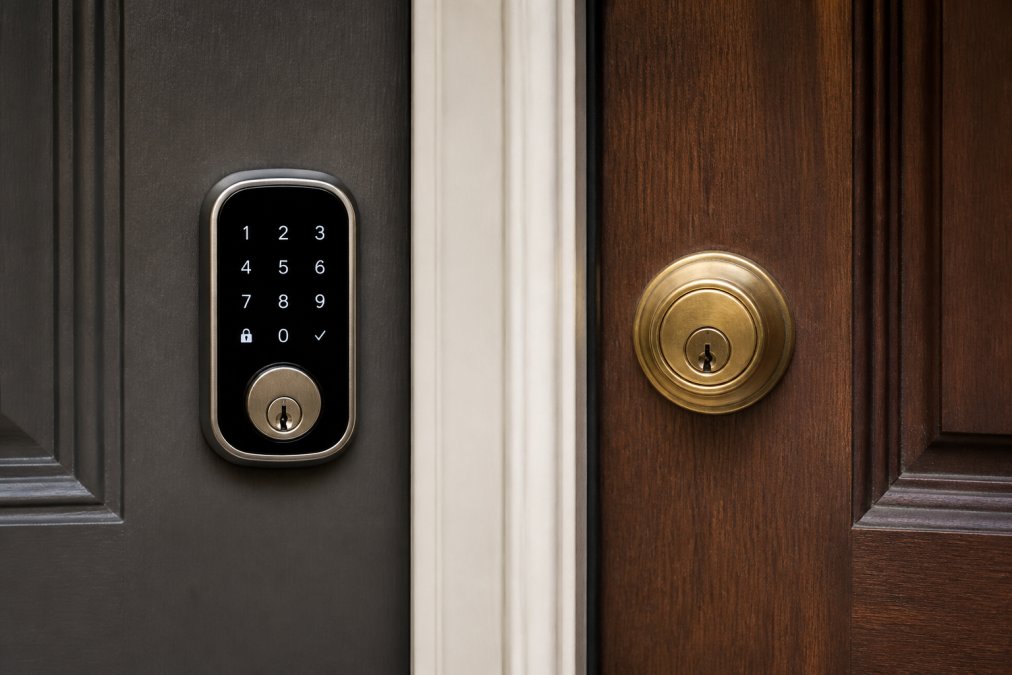
A traditional deadbolt is a mechanical lock that extends a solid metal bolt into the door frame when turned. A smart lock is an electronic device that controls the same bolt mechanism but adds digital authentication, keypad codes, biometric fingerprints, smartphone apps, or temporary passcodes. Both types can meet ANSI Grade 1 security standards, but they achieve security through different means: mechanics versus electronics (nist.gov).
The fundamental trade-off is straightforward. Mechanical deadbolts never need batteries, don't connect to Wi-Fi, and can't be hacked remotely. Smart locks offer keyless entry, activity logs showing who entered when, and the ability to unlock your door from anywhere. Neither approach is inherently "better", the right choice depends on your priorities.
| Feature | Traditional Deadbolt | Smart Lock |
|---|---|---|
| Power Source | None (mechanical) | Battery or hardwired |
| Remote Access | No | Yes |
| Keyless Entry | No | Yes (codes/biometric/app) |
| Activity Logs | No | Yes |
| Installation | Simple | Moderate complexity |
| Connectivity | None | Wi-Fi, Bluetooth, or Z-Wave |
| Backup Access | Physical key | Key + app + keypad |
| Weather Resistance | Excellent | Depends on model |
Security and Reliability Comparison
The security comparison between smart locks and traditional deadbolts is more nuanced than headlines suggest. Both can achieve the highest residential security rating, but they protect against different threats.
A traditional mechanical deadbolt like the Schlage B60N offers ANSI Grade 1 certification through solid metal construction, hardened steel rollers to resist cutting, and anti-pick shields (ansi.org). These physical barriers stop forced entry, prying, sawing, picking, or drilling. A deadbolt fails only if someone destroys it or breaks the door frame. No batteries die. No software updates fail. No network connection drops.
Smart locks achieve Grade 1 status through encryption and authentication, but their security depends on that technology working correctly. The Schlage Encode Smart WiFi Deadbolt uses AES-128 encryption for app communication and supports multiple authentication methods, keypad, app, traditional key, and voice control (peer-reviewed research). If the lock's battery dies or Wi-Fi drops, you can still unlock with a physical key or keypad code.
Here's what most comparisons miss: the security threats are completely different. A traditional deadbolt protects against physical attack, forced entry, lock picking, drilling. A smart lock protects against those same threats but also guards against digital attack, hacking, unauthorized app access, or network interception. Neither is universally "more secure." A deadbolt can't be hacked remotely, but it also can't alert you if someone tries to pick it. A smart lock logs every access attempt and can notify you instantly, but it requires the network and encryption to work correctly.
Cold weather performance matters more than marketing suggests. Traditional deadbolts work identically in freezing temperatures. Smart locks can experience slower response times or battery drain in extreme cold. If you live where winter temperatures regularly drop below zero, a mechanical deadbolt's reliability advantage is real.
ANSI Grade 1 Deadbolt Security Standards
ANSI Grade 1 is the highest residential security rating in the United States, set by the American National Standards Institute. Understanding what this certification actually means prevents confusion when comparing locks.
An ANSI Grade 1 deadbolt must survive specific attack scenarios: a 100-pound force applied for 10 seconds without breaking, resistance to picking and drilling, and hardened materials that resist cutting. The Schlage B60N meets these standards through a 1-inch throw bolt, solid metal construction, and anti-pick mechanisms. ANSI Grade 1 smart locks like the Schlage Encode and Kwikset Halo Touch achieve this rating by combining electronic authentication with a physically strong bolt mechanism.
The critical detail: ANSI Grade 1 measures the lock's resistance to forced entry, not its resistance to hacking or unauthorized digital access. A Grade 1 smart lock passes the same physical attack tests as a Grade 1 deadbolt, but the rating doesn't evaluate encryption strength, app security, or network vulnerability. When evaluating a smart lock, the ANSI Grade 1 certification tells you the bolt mechanism is strong, but you need to separately assess the digital security.
Many homeowners assume higher grades mean more security, but Grade 1 is residential standard. Grade 2 is commercial. Grade 3 is industrial. Residential homes should use Grade 1 or better. Going beyond Grade 1 adds cost without meaningful residential security benefit.
Smart Lock Installation Requirements
Installing a smart lock requires different preparation than a traditional deadbolt, and understanding these requirements prevents costly mistakes.
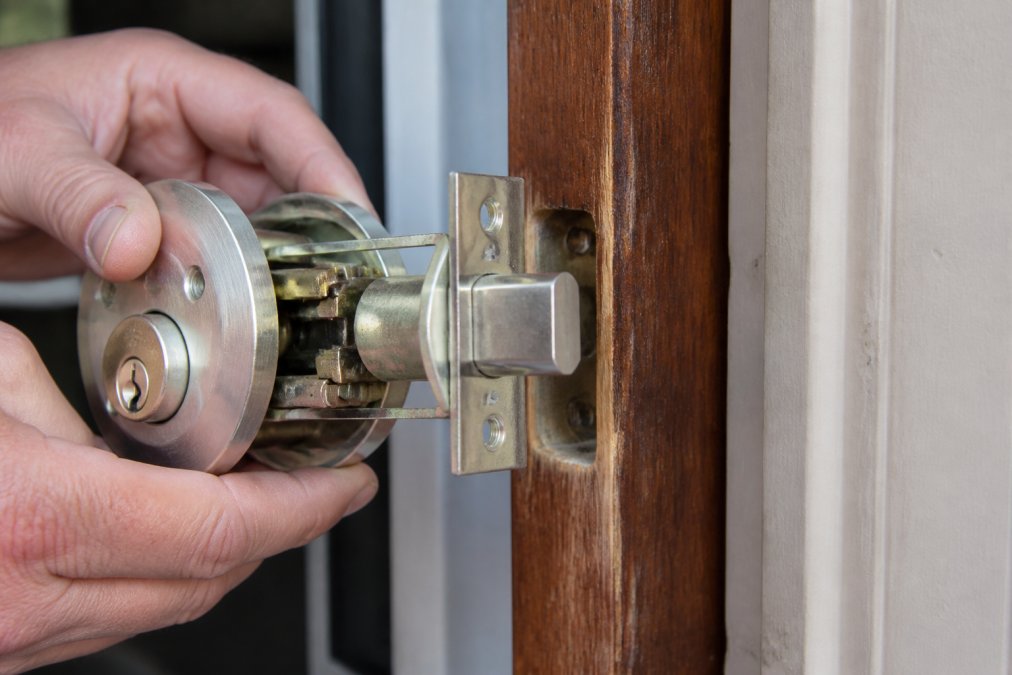
A traditional deadbolt installation is straightforward: drill two holes in the door, insert the lock mechanism, and secure with screws. Most homeowners can complete installation in 20 minutes with basic tools. A smart lock adds complexity because it requires power management, network setup, and sometimes integration with existing smart home systems.
The Schlage Encode Smart WiFi Deadbolt installs similarly to a standard deadbolt, it replaces the interior mechanism of your existing lock, but you'll need to configure Wi-Fi connectivity, set up the Schlage Home app, and program access codes. Installation takes 30-45 minutes, plus another 15-20 minutes for app setup. The August Wi-Fi Smart Lock (4th Gen) is even simpler because it mounts over your existing deadbolt without replacing anything, preserving your original exterior appearance and keys. This takes 10-15 minutes of installation time.
Battery-powered smart locks need accessible placement for battery replacement every 6-12 months, depending on usage. Hardwired smart locks require electrical work. If your door doesn't have a nearby outlet, battery power is necessary. This is a practical constraint most guides overlook.
Wi-Fi connectivity is essential for remote access. If your router is far from the front door, a smart lock might struggle with signal strength. Some models support Z-Wave or Zigbee mesh networks (like the Kwikset Halo Touch) to extend range through other smart devices. Understanding your home's network layout prevents installation problems.
How to Prevent Smart Lock Hacking
Smart lock security depends on proper setup and ongoing maintenance. Understanding the real hacking risks prevents panic and guides your security decisions.
The most common smart lock vulnerability isn't sophisticated hacking, it's weak passcodes. A four-digit code offers only 10,000 combinations. A person guessing randomly might crack it in hours. Set a code that's difficult to predict: avoid birthdays, sequential numbers, or repeated digits. Change codes every 6-12 months. Revoke access codes for people who no longer need entry.
Network security matters more than the lock itself. Your smart lock is only as secure as your Wi-Fi network. Use WPA3 encryption (or WPA2 if WPA3 isn't available), a strong router password, and keep your router's firmware updated. Many smart lock hacks target the home network, not the lock directly. If someone breaks into your Wi-Fi, they might access your lock's app credentials.
The Schlage Encode and August locks both use AES-128 encryption for app communication, which is industry-standard encryption. This prevents someone from intercepting your unlock command over the network. However, encryption strength is only part of the equation. The app itself must be secure, which depends on the manufacturer's security practices. Choose locks from established manufacturers with proven security track records.
Biometric authentication (like the Kwikset Halo Touch's fingerprint feature) adds a layer of security but isn't foolproof. Fingerprints can be spoofed with high-quality fake prints, though this requires deliberate effort. For most homes, biometric access is more convenient than more secure, but it does prevent casual guessing of passcodes.
Keep your lock's firmware updated. Manufacturers release security patches when vulnerabilities are discovered. Enable automatic updates if the app offers this option. A lock running outdated firmware is vulnerable to known exploits.
Cost, Maintenance, and Long-Term Value
The financial comparison between smart locks and traditional deadbolts extends beyond the initial purchase price.
A traditional mechanical deadbolt like the Schlage B60N costs between $35 and $69, depending on finish and where you purchase. Installation is DIY-friendly, so labor costs are minimal unless you hire a locksmith. Maintenance is essentially nonexistent, a deadbolt requires no batteries, no updates, no repairs. It works the same way in year one and year twenty. If the lock ever fails, replacement costs under $100 and takes 20 minutes.
Smart locks carry a higher upfront cost. The Schlage Encode Smart WiFi Deadbolt runs $249-$299. The August Wi-Fi Smart Lock (4th Gen) costs $150-$200. The Kwikset Halo Touch runs $240-$249. Add professional installation if you're not comfortable with setup, typically $100-$200. Professional installation for a traditional deadbolt costs $50-$150, so the total installation gap is modest.
The maintenance difference becomes significant over time. Smart locks require battery replacement every 6-12 months (usually $10-$20 per replacement) or periodic electrical work if hardwired. They need app updates, occasional troubleshooting, and potential replacement if a component fails. A failed smart lock might cost $200-$300 to replace. A failed traditional deadbolt costs $35-$100.
Long-term value depends on how long you stay in your home. If you move within 5 years, a smart lock's convenience might justify the higher upfront cost. If you plan to stay 10+ years, a traditional deadbolt's zero-maintenance reliability becomes attractive. A deadbolt you install at purchase might still work flawlessly at resale, adding no maintenance burden. A smart lock purchased at year one might need battery replacements ten times before you leave.
Insurance implications deserve mention. Some insurance companies offer modest discounts for smart locks because of activity logging and remote access capabilities. Other insurers don't recognize smart locks as security improvements. Check with your provider before purchasing, as a 5-10% discount on homeowners insurance could offset the smart lock's higher cost over several years.
| Cost Factor | Traditional Deadbolt | Smart Lock |
|---|---|---|
| Initial Purchase | $35-$70 | $150-$300 |
| Professional Installation | $50-$150 | $100-$200 |
| Annual Maintenance | $0 | $20-$40 |
| Battery Replacement | N/A | $10-$20 per replacement |
| Replacement Cost (if failed) | $35-$100 | $200-$300 |
| 10-Year Total Cost | $85-$220 | $600-$900+ |
Which Option Should You Choose?
Choose a traditional deadbolt if you prioritize simplicity, reliability, and zero maintenance. A mechanical deadbolt never needs batteries, never connects to the internet, and never requires app setup. If you're renting, moving soon, or uncomfortable with technology, a deadbolt is the right choice. For homes in areas with frequent power outages or unreliable internet, a deadbolt's independence is valuable. The Schlage B60N offers ANSI Grade 1 security at a fraction of a smart lock's cost.
Choose a smart lock if you want remote access, temporary passcodes for guests, or activity logs. A smart lock benefits families with multiple people who frequently lose keys, parents who want to track teen access, or homeowners who travel and want to grant entry to service providers remotely. If your home already has a strong Wi-Fi network and you're comfortable with app-based management, a smart lock's convenience is genuine. The Schlage Encode offers built-in Wi-Fi without requiring a separate hub, while the August Wi-Fi Smart Lock (4th Gen) preserves your existing exterior lock appearance.
Many homeowners choose both: a traditional deadbolt on the back door for reliability, and a smart lock on the front door for convenience. This hybrid approach captures the benefits of each without the drawbacks.
The real security difference isn't between smart and mechanical, it's between a Grade 1 lock (either type) and a cheaper lock. A $20 deadbolt offers minimal protection. A $60 Grade 1 deadbolt or a $250 Grade 1 smart lock both meet the highest residential security standards. Spending more on either category matters less than choosing the right category for your lifestyle.
Lock it All Locksmithing helps homeowners evaluate both options based on their actual security needs, not marketing claims. Whether you choose a traditional deadbolt or a smart lock, professional installation ensures proper setup and maximum security. Contact us at 615-810-7304 to discuss which option fits your home and to schedule professional installation.
Frequently Asked Questions
Q: Is a smart lock more secure than a traditional deadbolt?
A: Both offer strong security when properly installed. A traditional deadbolt with ANSI Grade 1 certification provides proven mechanical protection against forced entry and requires no power source. Smart locks add convenience through keyless entry and remote access, but depend on batteries and network connectivity. Security depends on your priorities: mechanical simplicity versus digital features. A professional locksmith can help you assess which fits your home's specific needs.
Q: What are the main downsides of smart door locks?
A: Smart locks require battery replacement every 6-12 months and may fail if batteries die. They depend on Wi-Fi or Bluetooth connectivity, which can be unreliable in some homes. Cybersecurity risks exist if passwords are weak or firmware isn't updated. Some models lack physical key backup, leaving you without entry if the lock malfunctions. Cold weather can affect battery performance and connectivity. Traditional deadbolts avoid these issues entirely through mechanical simplicity.
Q: How do I prevent smart lock hacking?
A: Use strong, unique passwords for your smart lock app and change default access codes immediately after installation. Enable two-factor authentication if available. Keep the lock's firmware updated by checking the manufacturer's app regularly. Avoid using predictable codes like birthdays or sequential numbers. Choose locks with AES-128 encryption for data protection. Disable remote access if you don't need it. Have a professional locksmith verify proper installation to eliminate physical vulnerabilities. Monitor your lock's audit trail for unusual access attempts.
Q: Do smart locks deter burglars?
A: Smart locks themselves don't deter burglars more than mechanical locks. Burglars target physical vulnerabilities like weak door frames and poor installation, not the lock type. What matters is a Grade 1 certified deadbolt properly installed with a reinforced strike plate and frame. Smart locks add convenience and monitoring, but a burglar focused on forced entry won't be stopped by keypad codes. Visible security measures like cameras and alarm system signs are more effective deterrents than the lock type itself.
Q: Can a locksmith install a smart lock on my existing door?
A: Yes. A professional locksmith can install most smart locks on existing doors without replacing the entire door or frame. Many smart locks, like the August Wi-Fi model, fit over your current deadbolt interior. Others replace the deadbolt entirely but use standard door bores. A locksmith will assess your door's condition, bore size, and backset distance to ensure proper fit. Installation complexity depends on your door's age and condition. Contact a locksmith for a site evaluation to confirm compatibility before purchase.
The choice between a smart lock and a traditional deadbolt ultimately reflects your priorities: convenience or simplicity, connectivity or independence, technology or mechanics. Both can achieve the highest residential security standards when properly installed. Lock it All Locksmithing offers expert guidance on selecting, installing, and maintaining either option, ensuring your home security aligns with your actual lifestyle and needs.
Why Nashville drivers choose Lock it All Locksmithing
We are a locally owned, licensed and insured mobile locksmith serving Nashville and the surrounding Middle Tennessee communities. You speak directly with the technician who does the work, get an honest price before we dispatch, and we arrive in a fully stocked service vehicle so most jobs finish in a single visit — usually within 20 to 45 minutes of arriving. No towing, no dealership appointment, no surprise fees.
How the visit works
- Tell us the details: call, text or send the quote form with your vehicle's year, make and model, or a description of your lock problem.
- Get an exact price: we quote parts, cutting, programming and travel up front.
- We come to you: our mobile workshop meets you at home, work or roadside.
- Done on the spot: keys are cut, programmed and tested with you before we leave.
Areas we serve
Nashville, Murfreesboro, Franklin, Hendersonville, Smyrna, La Vergne, Antioch, Brentwood, Mount Juliet, Lebanon and the surrounding towns across Middle Tennessee.
What our customers say
- "Fast, professional and honest — had a new key for my truck programmed in under half an hour." — Adrian Fiorito, 5 stars.
- "Great service and fair pricing. Came out same day and solved the problem right away." — George Yacoub, 5 stars.
- "Very knowledgeable and friendly. Highly recommend for anyone needing a locksmith in Nashville." — Jan Daoud, 5 stars.
Rated 5 stars across 100+ verified Google reviews. Call or text 615-810-7304 or email info@lia-locksmith.com.