8 Steps to Choose a Commercial Alarm System for Warehouses
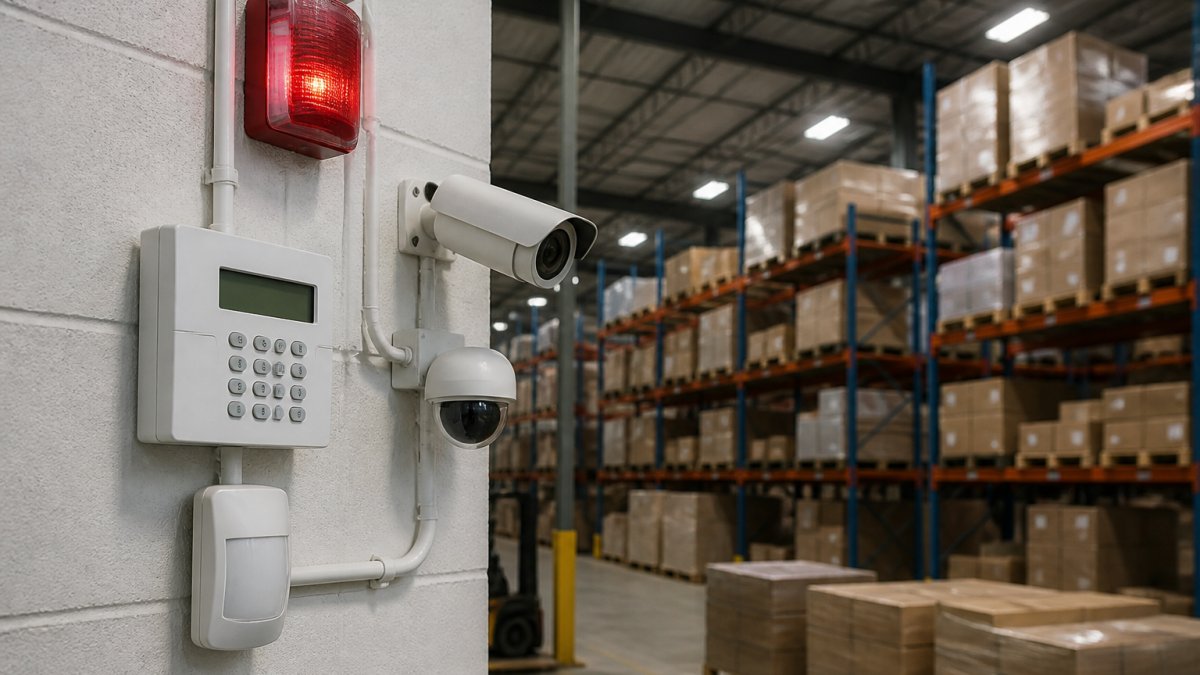
Choosing a commercial alarm system for warehouses starts with a real security assessment. Compare wired vs. wireless, monitoring, and access control.
Last Updated: October 27, 2026
Quick Summary
Choosing the right commercial alarm system for warehouses starts with a security assessment that maps every entry point and scores each zone by intrusion likelihood and potential cost. Then match intrusion detection to your layout, choose wired, wireless, or hybrid, and compare monitoring response workflows rather than fees alone.
- Score each zone on intrusion likelihood and cost, then spend on the highest combined scores first.
- Use contact sensors on every door and operable window, and glass-break detection on ground-floor glass.
- A hybrid setup with a wired backbone and wireless at the edges usually fits most working warehouses.
- Ask monitoring providers for a sample after-hours alarm report and call-list template.
- Require battery backup on the panel and cellular or radio backup for the signal path.
Table of Contents
- Start With a Warehouse Security Assessment Checklist
- Match Intrusion Detection to Your Facility Layout
- Wired vs. Wireless Commercial Alarm Systems: Which Fits a Warehouse
- Commercial Alarm System Monitoring: Professional vs. Self-Monitoring
- Warehouse Access Control Integration and Operations
- Book a Commercial Security Walkthrough
- Frequently Asked Questions
Start With a Warehouse Security Assessment Checklist
Choosing the right commercial alarm system for warehouses starts with a security assessment, not a product catalog. You cannot size an alarm until you know what you are protecting.
A warehouse security assessment checklist is a structured walkthrough that maps every entry point, ranks each zone by risk, and records what a break-in would cost you. The results decide which sensors, cameras, and monitoring you actually need.
Map Loading Docks, Entry Points, and Restricted Areas
Walk the building with a clipboard and mark every opening. Loading docks, man doors, roll-up doors, windows, roof hatches, and fence gates all count. Note which ones stay unlocked during shifts and which sit dark overnight.
Then split the floor into security zones:
- Perimeter: fences, gates, exterior walls
- Entry points: docks, doors, windows, glass storefronts
- Restricted areas: server rooms, pharmacy cages, high-value storage

Score Each Risk Zone Before You Shop
Score every zone on two numbers: likelihood of intrusion and cost if it happens. A dock door left open during receiving scores high on likelihood. A cage holding electronics scores high on cost.
Rank zones from highest combined score to lowest. That ranking becomes your budget order. Spend on the top zones first and let the low-score areas wait for phase two.
Match Intrusion Detection to Your Facility Layout
Intrusion detection is the sensor layer that notices someone is where they should not be. Warehouse layouts break most residential assumptions, so match each sensor type to the space it actually covers.
Door, Window, and Glass-Break Sensors
Door sensors and window sensors are contact devices. They trip when two magnetized halves separate, which makes them ideal for man doors, dock doors, and office windows.
Glass-break detection listens for the sound pattern of shattering glass. Use it on storefront windows and any pane facing a parking lot or alley.
- Contact sensors: every door and operable window
- Glass-break: ground-floor and dock-facing glass
- Environmental sensors: temperature sensors in cold storage and server rooms
Motion Detectors and Interior Coverage
Motion detectors cover open floor, but racking creates blind spots. Mount them to see aisles, not shelving faces. Use dual-technology units that combine motion with heat sensing to cut false trips.
Coverage planning matters more than sensor count. A few well-placed detectors with clear sightlines beat a dozen units staring at steel.
| Zone | Best Sensor Type | Why |
|---|---|---|
| Dock doors | Contact + motion | Wide opening, high traffic |
| Office windows | Glass-break | Street-facing glass |
| Racking aisles | Dual-tech motion | Long sightlines, fewer blind spots |
| Cold storage | Temperature sensor | Protects inventory, not just entry |
Wired vs. Wireless Commercial Alarm Systems: Which Fits a Warehouse
Wired systems run on physical cable and suit new builds or major renovations. Wireless systems use radio links and install faster in older buildings where pulling cable is expensive or impossible.
Here is the honest trade-off. Wired wins on reliability and long-term cost. Wireless wins on speed and retrofit flexibility. Large steel-and-concrete warehouses can weaken wireless signals, so a hybrid usually fits best: wired backbone, wireless at the edges.
- Wired: best for new construction, long-term ownership
- Wireless: best for leased buildings and fast installs
- Hybrid: best for most working warehouses
Commercial Alarm System Monitoring: Professional vs. Self-Monitoring
Commercial alarm system monitoring decides who responds when the alarm trips. Professional monitoring routes alerts to a central station that calls you and dispatches police. Self-monitoring sends alerts to your phone and leaves response to you.
For warehouses, professional monitoring is usually the right call. Nobody is on site at 2 a.m. to check a phone alert. But "professional monitoring" is not a single product.
Compare Response Workflows, Not Just Monitoring Fees
When you evaluate a monitoring provider, ask for the written response procedure and read it line by line. A strong warehouse workflow usually includes:
- Signal verification first. The central station should attempt to reach one or more on-call contacts before dispatching, and should follow a defined call list with time limits per contact.
- Escalation order. Know who is called first (night shift supervisor, facility manager, owner), how long the station waits between calls, and what happens if nobody answers.
- Dispatch criteria. Confirm whether the provider dispatches on a single zone trip or requires a second sensor to trip, and whether video verification can upgrade or downgrade the response.
Match Monitoring Service Levels to Warehouse Operations
Monitoring service levels should mirror how the building actually runs. A single-shift warehouse with a manned guardhouse needs a different workflow than a 24/7 distribution center with a receiving dock open most of the night.
- Single-shift sites: prioritize verified dispatch and a short call list, because a real break-in at 2 a.m. will not be noticed by staff.
- Multi-shift sites: set schedules and open/close windows in the panel so shift-change traffic does not read as an intrusion, and give the central station a current on-call roster.
- Multi-site operators: require one central station, one reporting portal, and consistent escalation rules across every building so a single duty manager can respond to any site.
Cutting False Alarms in Large, Active Facilities
False alarms are the warehouse problem nobody warns you about. Forklifts, birds, swinging dock doors, dust, temperature swings, and shift changes all trip sensors. Every nuisance alarm erodes police priority and staff attention.
Fix them with placement and setup:
- Keep motion detectors away from dock doors, HVAC vents, and forklift lanes
- Use dual-technology sensors in high-traffic aisles
- Set entry delays that match real shift routines
Video verification lets a central station confirm a real break-in before dispatch. That single feature cuts wasted responses and keeps police priority high. Pair it with a written false-alarm reduction plan and review the alarm report monthly.
Warehouse Access Control Integration and Operations
Warehouse access control integration ties your alarm to the doors people actually use. Badge readers, keypads, and electronic locks log who enters restricted areas and when. That audit trail matters when inventory goes missing.
Alarm and access systems should share one platform. For fleets running yard vehicles and gate systems, our guide to modern vehicle key technology for logistics operations covers how key and access systems work together on site.
Coordinate Alarms With Access, Video, and Daily Operations
Integration is not just a shared login. The systems should exchange events so the warehouse keeps running during a shift and still catches real intrusions:
- Access events suppress alarm trips. A valid badge read at a dock door should place that zone in an authorized state for a defined window, then return to armed automatically.
- Video verification on alarm. A camera preset should turn to the tripped zone so the central station or on-site guard can see what set it off.
- Door-held-open and forced-door alerts. These catch propped doors and tailgating at man doors, which are common warehouse loss paths.
Plan for Outages and Communications Failures
Backup power keeps the system alive when the grid fails (Ensuring the fire alarm system remains reliable). Warehouses lose power in storms, and a dead alarm is an open door. Require battery backup on the panel and cellular or radio backup for the signal path so alarms still reach the central station when internet or phone lines are down.
Also confirm:
- Tamper alerts on panels, cellular communicators, and exterior sirens
- A low-battery and communication-failure report sent to your maintenance contact
- A documented test schedule for batteries and signal paths
Test both quarterly. A backup that has never been tested is a guess, not a safeguard.
Budget the Full Lifecycle, Not Just the Install
Procurement is where many warehouse alarm projects go wrong. The install quote is only one line in the total cost. Build a lifecycle checklist before you sign:
- Equipment: panels, sensors, cameras, access readers, and communicators
- Installation: cabling, conduit, mounting, and programming hours
- Monitoring: monthly rate per account, plus charges for extra contacts or video verification
Book a Commercial Security Walkthrough
Lock it All Locksmithing handles commercial access control and high-security lock installations for businesses. Call 615-810-7304 to discuss your commercial security needs.
Call 615-810-7304 to discuss commercial access control and high-security lock installations.
Frequently Asked Questions
What type of alarm system is best for a warehouse?
There is no single best type. Most warehouses need a hybrid: a wired commercial alarm system for fixed perimeter doors and loading docks, plus wireless sensors where running cable is impractical. Add glass-break detection on ground-floor windows and motion detectors for interior coverage. The right mix depends on your facility layout, how many entry points you have, and whether you want professional monitoring. A security assessment should come before any equipment decision.
Are wired or wireless alarm systems better for warehouses?
Wired systems suit warehouses with long-term leases and fixed layouts because they resist interference and need fewer battery changes. Wireless systems install faster, cost less upfront on retrofit jobs, and handle hard-to-reach areas like mezzanines. For most warehouses, wired vs. wireless commercial alarm systems is not either-or: wired covers the perimeter and wireless fills gaps. Ask how each option affects installation time and long-term maintenance before deciding.
Do warehouse alarm systems need professional monitoring?
Professional monitoring matters most for warehouses because nobody is on site overnight. With commercial alarm system monitoring, an alarm signal goes to a dispatch center that can call your contacts or request police response within minutes. Self-monitoring relies on someone seeing a phone alert, which fails during overnight hours. Confirm the monitoring center's response time, escalation procedure, and how it handles video verification before you sign a contract.
Can a warehouse alarm system integrate with access control and cameras?
Yes, and it is worth planning for. Warehouse access control integration lets one platform manage door credentials, alarm arming, and surveillance cameras together, so a badge event or alarm trigger pulls up the matching camera feed. Look for systems with remote access, real-time alerts, and open integration options. Confirm the alarm panel supports your access control and camera brands before purchase; retrofitting integration later usually costs more than specifying it upfront.
Your warehouse holds inventory, equipment, and people who depend on the building staying locked. Guessing at an alarm system leaves gaps you will not see until something goes missing. Lock it All Locksmithing brings commercial access control, high-security lock installation, and hands-on security planning to businesses across the region. Get started with Lock it All Locksmithing and turn your security assessment into a system that actually protects the floor.


Why Nashville drivers choose Lock it All Locksmithing
We are a locally owned, licensed and insured mobile locksmith serving Nashville, Antioch, Brentwood, Franklin, Smyrna, La Vergne, Murfreesboro, Hermitage and Mt. Juliet. You speak directly with the technician who does the work, get an honest price before we dispatch, and we arrive in a fully stocked service vehicle so most jobs finish in a single visit — usually within 20 to 45 minutes of arriving. No towing, no dealership appointment, no surprise fees.
How the visit works
- Tell us the details: call, text or send the quote form with your vehicle's year, make and model, or a description of your lock problem.
- Get an exact price: we quote parts, cutting, programming and travel up front.
- We come to you: our mobile workshop meets you at home, work or roadside.
- Done on the spot: keys are cut, programmed and tested with you before we leave.
Areas we serve
Nashville, Antioch, Brentwood, Franklin, Smyrna, La Vergne, Murfreesboro, Hermitage and Mt. Juliet. If you're outside these areas, call 615-810-7304 to confirm whether we can help.
What our customers say
Best locksmith in town excellent service and great price !!
— Adrian Fiorito, 5 stars.Very wonderful service, strong quality, great prices, and it does not take long.
— George Yacoub, 5 stars.Great customer service - Professional - Fast Highly recommend.
— Jan Daoud, 5 stars.
Rated 5 stars across 100+ verified Google reviews. Call or text 615-810-7304 or email info@lia-locksmith.com.