How to Change Car Key Fob Battery Step by Step
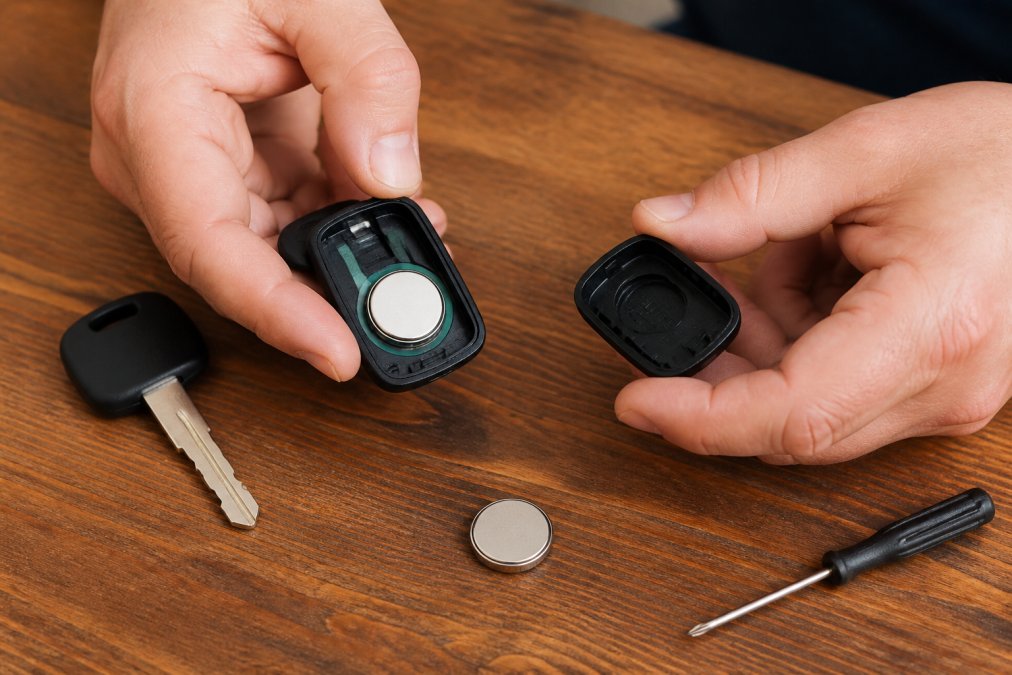
Learn how to change car key fob battery step by step with our guide. Identify common sizes, spot dying signs, and safely program your fob. Get started.
Table of Contents
- Tools and Materials You Need Before You Start
- Signs of a Dying Key Fob Battery
- Common Key Fob Battery Sizes and How to Find Yours
- Step-by-Step: How to Change Car Key Fob Battery (Remove the Mechanical Key)
- Step-by-Step: How to Change Car Key Fob Battery (Open the Casing and Swap the Battery)
- How to Program Car Key Fob Safely After a Battery Change
- Handling Damaged Casings and Battery Disposal
- Frequently Asked Questions
Last Updated: September 16, 2026
Tools and Materials You Need Before You Start
Changing a car key fob battery is a ten-minute job, and most of that time is spent gathering the right tools. The actual swap takes under two minutes once the fob is open.
Here's what to have on hand:
- The correct replacement coin cell battery (CR2032 or CR2025 in most vehicles)
- A small flathead screwdriver or a plastic pry tool
- A clean, well-lit work surface with a soft cloth or tray
- The vehicle owner's manual (for model-specific instructions)
- A small container for the old battery and any tiny screws
The single most common mistake is buying the wrong battery size before opening the fob. Always confirm the cell number printed on the old battery first. If you skip that step, you'll make a second trip to the store.
Signs of a Dying Key Fob Battery
A key fob rarely dies without warning. Most give you weeks of signals first, and recognizing them saves you from being stranded in a parking lot.
Watch for these symptoms:
- Reduced range, you have to stand closer to the car to unlock it
- Intermittent response, the unlock button works, then doesn't, then works again
- Multiple presses required, one press used to do it; now it takes three or four
- Dashboard warning, many modern vehicles display a "key battery low" message
- Dim or no LED, the small indicator light on the fob weakens or stops flashing
A dead battery in a key fob is the most common cause of these symptoms, but it isn't the only one. If a fresh battery doesn't fix the problem, the issue may be the remote transmitter itself or the vehicle's receiver. That's when a professional diagnostic is worth the call.
Common Key Fob Battery Sizes and How to Find Yours
Most key fobs use one of a handful of coin cell batteries, and the entire family follows the same naming logic. Once you understand the code, you can read any coin cell at a glance.
- C, the chemistry, lithium manganese dioxide
- R, the shape, round
- 2032, the first two digits are the diameter in millimeters (20 mm); the last two are the thickness in tenths of a millimeter (3.2 mm)
| Battery | Diameter | Thickness | Common Use |
|---|---|---|---|
| CR2032 | 20 mm | 3.2 mm | Most key fobs, remotes, push-button start |
| CR2025 | 20 mm | 2.5 mm | Slimmer fobs, some push-button start |
| CR2016 | 20 mm | 1.6 mm | Older and compact fobs |
| CR1632 | 16 mm | 3.2 mm | Smaller import vehicle fobs |
| CR2450 | 24.5 mm | 5.0 mm | Larger fobs and some proximity keys |
- The old battery itself. Open the fob and read the number stamped on the metal face. This is the only method that is guaranteed correct, because some automakers have used more than one cell across trim levels of the same model year.
- The owner's manual. Look in the index under "key fob," "remote," or "battery." Most manuals list the coin cell size in the specifications or maintenance section.
- The fob's part number. If the manual is gone, the part number molded into the fob housing can be looked up to confirm the cell size.
A note on quality. Coin cells from name-brand manufacturers tend to hold voltage longer than bargain cells, and a low-quality cell can mimic a dead fob within months. If a fresh battery dies quickly, the cell itself may be the problem rather than the fob.
Step-by-Step: How to Change Car Key Fob Battery (Remove the Mechanical Key)
The mechanical key is your starting point. Nearly every fob hides an emergency key inside, and removing it exposes the seam or slot you need to open the casing.
Here's the removal process:
- Locate the release tab or button on the back or side of the fob.
- Press the tab while sliding the mechanical key out of its slot.
- Set the key aside on your tray; you'll need it to pry the casing open.
- Note the orientation of the key so you can reinsert it correctly later.
Step-by-Step: How to Change Car Key Fob Battery (Open the Casing and Swap the Battery)
Opening the casing is where most DIY attempts go wrong. The housing is held together by snap-fit clips, not screws, and it needs steady pressure rather than force.
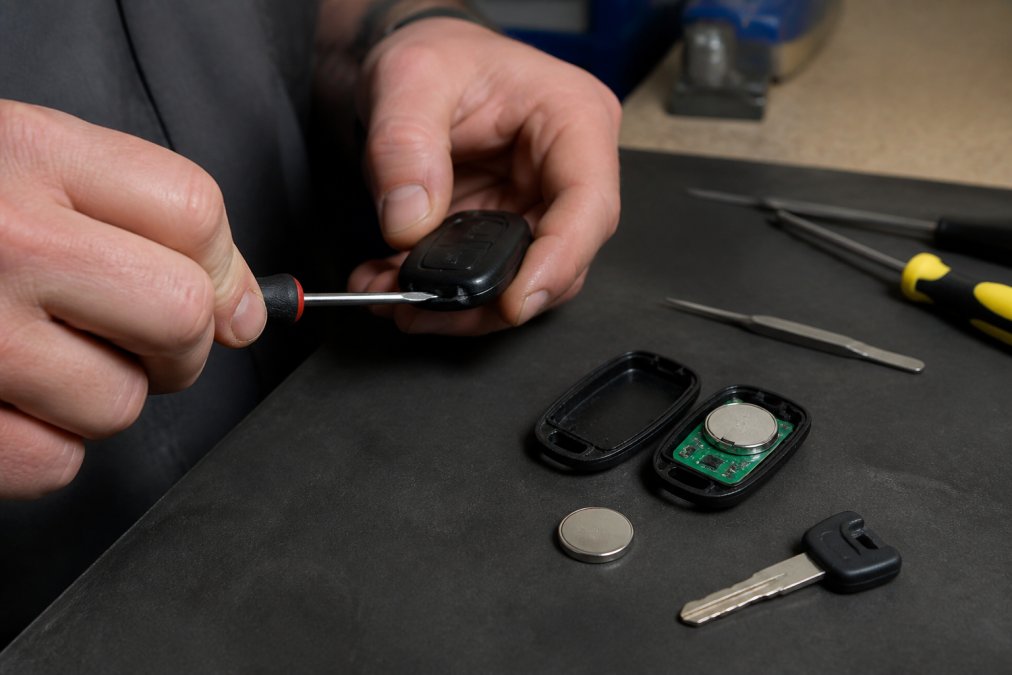
Follow these steps:
- Insert the flathead screwdriver or pry tool into the seam where the two halves of the fob meet.
- Twist gently to release the internal clip. You'll hear a soft pop.
- Work around the seam a little at a time. Don't pry one spot hard.
- Separate the two halves and lay them flat on your cloth.
- Note the battery orientation before removing it. The positive side usually faces up, but confirm visually.
- Slide the old battery out with your fingernail or the pry tool.
- Insert the new battery with the correct polarity, matching the positive and negative sides to the markings in the battery compartment.
- Press the two halves back together until the snap-fit clips engage.
How to Program Car Key Fob Safely After a Battery Change
Here is the good news first: the vast majority of key fobs do not need reprogramming after a battery swap. The fob stores its identity in non-volatile memory, and the vehicle's receiver already knows that identity. Restoring power is usually all that is required.
- The button-press method. Stand within a few feet of the driver's door. Press the lock button, then the unlock button, then the lock button again, pausing about one second between presses. On many vehicles this is enough to re-establish the rolling code.
- The ignition method. Insert the mechanical key and turn the ignition to the "on" position without starting the engine. Press a button on the fob. Turn the ignition off, remove the key, and test the fob from outside the vehicle.
- The start-button method. With the fob inside the cabin, press the brake and the start button as you normally would. Some vehicles re-sync the fob during the start sequence.
- The door-lock cycle method. Some vehicles require a specific sequence, for example, cycling the driver's door lock with the interior switch while pressing fob buttons. This varies widely by make, so check the owner's manual before trying it.
- The battery is installed backward. Reopen the fob and confirm the positive side faces the marking in the compartment. This is the single most common cause.
- The battery is a dud. A cell that sat on a shelf too long, or a low-quality cell, can read correct voltage with no load but fail under the fob's draw. Try a second new cell.
- The fob's internal contacts are dirty or bent. Look at the metal tabs that touch the battery. A bent tab or a film of corrosion will interrupt power. Clean gently with a dry cotton swab.
- The fob has lost its programming entirely. This is rare after a simple battery swap, but it can happen if the fob was dropped or exposed to moisture. Re-programming requires a scan tool or a dealer-level device.
Handling Damaged Casings and Battery Disposal
Two problems catch people off guard: a casing that cracks during opening, and what to do with the old battery.
Frequently Asked Questions
Can I replace my car key fob battery myself?
Yes, you can replace most car key fob batteries yourself. The process involves removing the mechanical key, prying open the casing, and swapping the coin cell battery. It usually takes 5-10 minutes. Check your owner's manual for the specific battery type, typically CR2032 or CR2025. If the casing is stuck or you damage the internal clip, a professional locksmith can help without charging dealership prices.
Does a key fob need to be reprogrammed after changing the battery?
Most key fobs do not need reprogramming after a battery change. The fob retains its memory, and the car should recognize it immediately. Some vehicles require a simple re-sync process, like pressing a sequence of buttons or cycling the ignition. If your fob stops working after the swap, try the re-sync steps in your manual. If it still fails, a locksmith can program it safely.
What type of battery does my car key fob use?
Most car key fobs use a 3-volt coin cell battery, commonly CR2032 or CR2025. Less common sizes include CR1632 and CR1616. The correct size is usually printed on the old battery or in your owner's manual. Using the wrong size can cause poor contact or damage the fob. If you are unsure, bring the old battery to an auto parts store or call a locksmith for guidance.
How do I open a key fob cover without damaging it?
To open a key fob cover safely, first remove the mechanical key. Then insert a flathead screwdriver or pry tool into the seam and twist gently. Work around the edges slowly. Avoid forcing it, as the plastic tabs can snap. If the casing is stuck, do not use excessive force. A locksmith can open it without damage. Some fobs have a small screw you must remove first.

Why Nashville drivers choose Lock it All Locksmithing
We are a locally owned, licensed and insured mobile locksmith serving Nashville, Antioch, Brentwood, Franklin, Smyrna, La Vergne, Murfreesboro, Hermitage and Mt. Juliet. You speak directly with the technician who does the work, get an honest price before we dispatch, and we arrive in a fully stocked service vehicle so most jobs finish in a single visit — usually within 20 to 45 minutes of arriving. No towing, no dealership appointment, no surprise fees.
How the visit works
- Tell us the details: call, text or send the quote form with your vehicle's year, make and model, or a description of your lock problem.
- Get an exact price: we quote parts, cutting, programming and travel up front.
- We come to you: our mobile workshop meets you at home, work or roadside.
- Done on the spot: keys are cut, programmed and tested with you before we leave.
Areas we serve
Nashville, Antioch, Brentwood, Franklin, Smyrna, La Vergne, Murfreesboro, Hermitage and Mt. Juliet. If you're outside these areas, call 615-810-7304 to confirm whether we can help.
What our customers say
Best locksmith in town excellent service and great price !!
— Adrian Fiorito, 5 stars.Very wonderful service, strong quality, great prices, and it does not take long.
— George Yacoub, 5 stars.Great customer service - Professional - Fast Highly recommend.
— Jan Daoud, 5 stars.
Rated 5 stars across 100+ verified Google reviews. Call or text 615-810-7304 or email info@lia-locksmith.com.