Commercial Access Control System Installation Guide
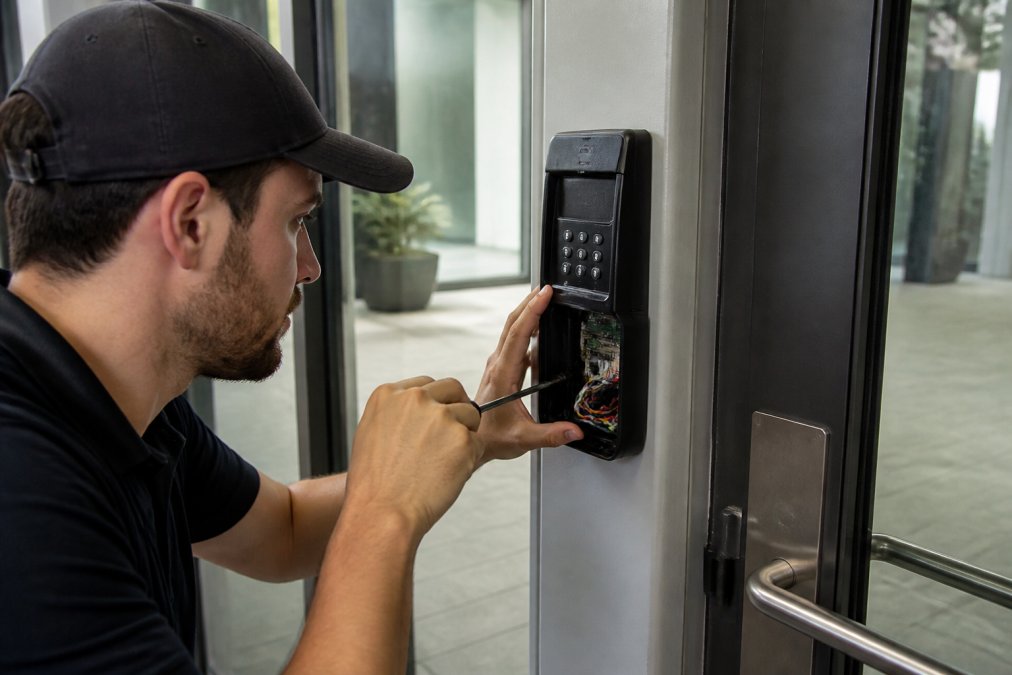
Commercial access control system installation explained: costs, wiring, hardware, and maintenance. Get expert guidance from Lock it All Locksmithing today.
Table of Contents
- What Commercial Access Control Installation Involves
- Commercial Access Control System Cost: What Drives Your Investment
- Door Access Control Installation Steps: From Survey to Commissioning
- Door Access Control Installation Steps: From Survey to Commissioning
- Access Control System Maintenance and Cybersecurity Hardening
- Integrating Access Control With Existing Building Systems
- Integrating Access Control With Existing Building Systems
- Choosing a Commercial Access Control Installer
- Frequently Asked Questions
Last Updated: September 23, 2026
What Commercial Access Control Installation Involves
Commercial access control system installation fits electronic hardware and software that decides who can enter a building, when, and through which door.
Core Hardware: Readers, Controllers, and Locks
Every access control system runs on three components. A credential reader scans the badge, fob, phone, or fingerprint and sends that data to a control panel, which checks permissions and tells the lock hardware to release or stay shut.
- Magnetic lock (maglock): holds the door with electromagnetic force. Fail-safe by design, meaning it releases when power drops.
- Electric strike: replaces the strike plate in an existing frame. Can be fail-safe or fail-secure depending on configuration.
- Electrified lockset: motorized or solenoid-driven. Higher cost, cleaner finish, better for high-traffic entries.
Cloud-Based vs. On-Premise Systems
Cloud-based management stores credentials and audit trails on a hosted platform. On-premise keeps that data on a local server inside your building.
Commercial Access Control System Cost: What Drives Your Investment
Most guides stop at "get a quote." What you need is a total cost of ownership (TCO) model you can plug your own door count into, so you can compare bids apples-to-apples and plan for years two through ten, not just day one.
| Cost Bucket | What It Covers | Typical Share of First-Year TCO |
|---|---|---|
| Hardware | Readers, controllers, locks/strikes, request-to-exit sensors, power supplies, backup batteries | Largest single line item |
| Labor | Site survey, cabling runs, conduit, mounting, termination, commissioning, training | Often rivals hardware on retrofit jobs |
| Software / subscription | Cloud hosting per door per month, or on-premise license plus server | Recurring; scales with door count |
| Ongoing | Firmware updates, battery replacement, service calls, credential cards/fobs | Small monthly, spikes on failure |
Hardware vs. Labor vs. Subscription: Where the Money Actually Goes
On a new-construction door with power and conduit already stubbed, hardware tends to dominate. On a retrofit into an existing hollow-metal or glass door, labor can match or exceed hardware because every run is bespoke: fishing cable through finished walls, cutting frames, adding power where none exists.
The Costs Competitors Leave Out
- Credential reissue. Every lost badge, terminated employee, and contractor rotation is a small recurring cost. Budget for it.
- Battery replacement. Backup batteries in power supplies and electrified locksets last years, not decades. Plan a replacement cycle.
- Firmware and software maintenance. If your platform charges for support tiers, that's a real line item, not a footnote.
- Door hardware wear. High-traffic doors eat strikes and closers, needing service far more often than back-of-house doors.
- Integration labor. Tying access control into fire alarm, camera, or timekeeping systems is configuration time, and configuration time is billed time.
Door Access Control Installation Steps: From Survey to Commissioning
Door Access Control Installation Steps: From Survey to Commissioning
Door access control installation steps follow a fixed sequence. Skip one and you'll pay for it during commissioning, when the doors are already wired and the drywall is closed.
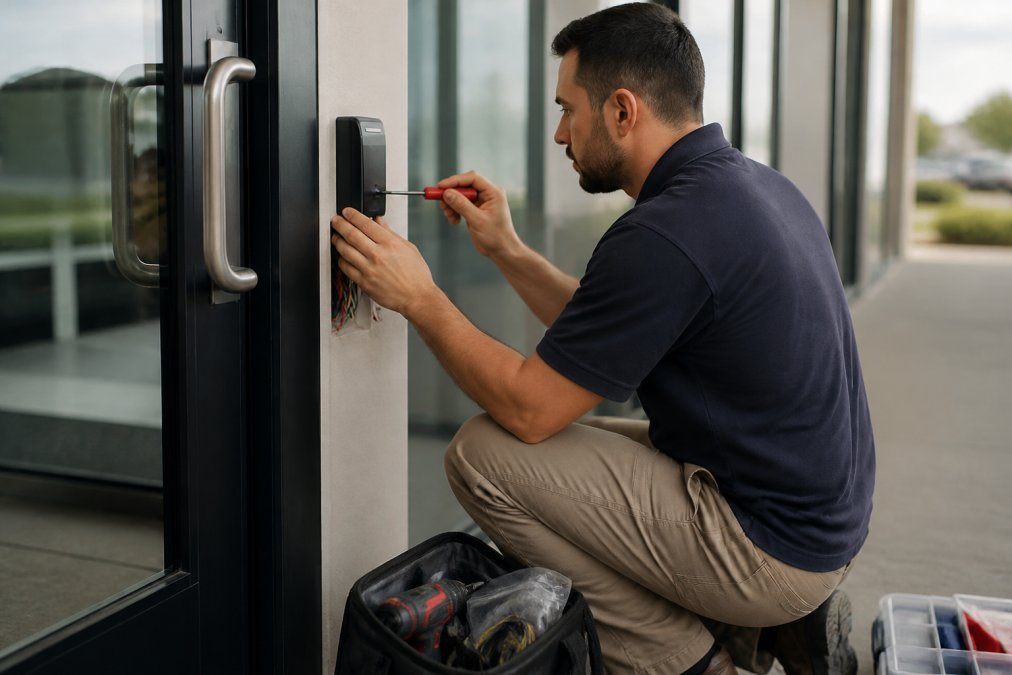
- Site survey. Walk every door. Note frame material, door swing, existing hardware, and whether power is available.
- System design. Match readers, controllers, and locks to each door's actual conditions.
- Wiring and cabling. Run low-voltage cabling from each reader to the control panel. This is the step that determines whether the rest works.
- Hardware installation. Mount readers, install locks or strikes, fit request-to-exit sensors.
- Software configuration. Build user permissions, schedules, and audit trail settings.
- Testing and commissioning. Verify every credential, every door, every fail mode.
- Training and handoff. Show your staff how to add and remove credentials.
Wiring, Cabling, and Power Requirements
Low-voltage cabling carries both data and power. PoE (Power over Ethernet) simplifies this: one cable powers the reader and carries credential data back to the panel.
Software Configuration and User Setup
Credential management is where the system earns its keep. Set up permissions by role, not individual. Build schedules matching actual building hours. Turn on the audit trail before go-live, not after an incident.
Access Control System Maintenance and Cybersecurity Hardening
Access control system maintenance is the part nobody budgets for, and it determines whether your system still works in year five. It splits into three tracks: physical upkeep, cybersecurity hardening, and compliance verification.
Physical Maintenance Cadence
A workable schedule for a typical commercial building:
- Monthly: review the audit trail for credential changes you didn't authorize, and confirm no doors are being propped or held open beyond schedule.
- Quarterly: check door hardware alignment, test every fail-safe and fail-secure mode, verify request-to-exit sensors trigger correctly, and inspect strikes and closers on high-traffic doors.
- Annually: replace backup batteries in power supplies and electrified locksets on a rolling basis, test the full system under a simulated power loss, and review user permissions against your current roster.
Firmware updates matter more than most people realize. An unpatched controller is a network device with a known vulnerability sitting inside your building.
Post-Installation Cybersecurity Hardening
This is the gap most installers ignore. The Cybersecurity and Infrastructure Security Agency publishes guidance on securing internet-connected physical devices, and access control panels fall squarely in that category. The National Institute of Standards and Technology framework treats physical access as one layer of a larger system, which means a compromised controller is a network breach, not just a door problem.
- Change every default password on controllers, readers, and management software before go-live.
- Put access control on a separate VLAN from your general business network.
- Disable unused network services and remote access ports.
- Require multi-factor authentication for administrator accounts on the management platform.
- Log and monitor failed authentication attempts at both the door and the software layer.
- Establish a firmware update schedule and a documented rollback plan.
- Confirm who owns the credentials and admin access, you, not the installer.
Compliance Checklist: What Inspectors and Attorneys Ask For
Life safety and egress. When a fire alarm triggers, egress doors must release, a life safety requirement, not a feature. Verify during commissioning that every fail-safe door drops on alarm, and re-verify annually. Local fire codes govern specifics, and your authority having jurisdiction has the final word, but the principle is universal: people must be able to leave.
A practical pre-inspection checklist:
- Every egress door releases on fire alarm activation.
- Fail-safe vs. fail-secure configuration matches the door's function.
- Reader and keypad mounting heights meet ADA reach ranges on accessible routes.
- Door opening force is within ADA limits on accessible doors.
- Request-to-exit sensors function without requiring special knowledge or effort.
- Audit trail is enabled and retained per your records policy.
- Admin credentials are documented and held by the building owner.
Integrating With Fire Alarm, Camera, and Building Systems
Access control rarely lives alone. Fire alarm integration is non-negotiable in most commercial settings: when the alarm triggers, egress doors must release. Camera integration gives you video matched to every access event, when a credential is used at 2 a.m., you want footage, not just a log entry. Timekeeping integration lets you pull hours from access events, which some businesses find more accurate than manual timesheets.
Integrating Access Control With Existing Building Systems
Integrating Access Control With Existing Building Systems
Camera integration gives you video matched to every access event. When a credential is used at 2 a.m., you want footage, not just a log entry. Timekeeping integration lets you pull hours from access events, which some businesses find more accurate than manual timesheets.
Choosing a Commercial Access Control Installer
Choose an installer who surveys before quoting, itemizes per-door costs, and walks you through audit trail setup. Anyone who skips the survey is selling hardware, not a system.
What separates a good installer from a cheap one:
- They ask about your network before they ask about your doors
- They can explain fail-safe versus fail-secure without looking it up
- They hand over credentials and admin access, not just a working door
- They document what they installed, including cable runs and panel locations
Frequently Asked Questions
How much does a commercial access control system cost?
The commercial access control system cost depends on door count, hardware type (card readers, biometric authentication, or mobile credentials), wiring complexity, and whether you choose cloud-based management or an on-premise control panel. A single-door system costs less than a multi-door IP-based access control setup with integrated video. Labor, low-voltage cabling, and software licensing also factor in. Contact Lock it All Locksmithing for a quote tailored to your building.
How long does a commercial access control installation take?
A single-door access control installation typically takes one day for hardware mounting, wiring, and basic configuration. Multi-door projects with IP-based access control, electric strikes, and request-to-exit sensors can take several days to a week. Existing wiring infrastructure speeds things up; older buildings may need new low-voltage cabling runs. Your installer should provide a timeline after the site survey.
What are the door access control installation steps?
The process starts with a site survey to map doors and assess wiring. Next comes system design, hardware selection, and low-voltage cabling. Technicians then mount credential readers, magnetic locks or electric strikes, and the control panel. Software configuration follows, including user permissions and audit trail setup. The final step is system commissioning and testing every door, fail-safe and fail-secure modes, and request-to-exit sensors.
What does access control system maintenance involve?
Routine access control system maintenance includes testing credential readers and door hardware, checking battery backups, updating software, and reviewing audit trails for unauthorized entry attempts. Physical inspection of magnetic locks and electric strikes prevents failures. Cybersecurity tasks like firmware patches and credential management reviews are equally important. Schedule maintenance at least twice a year, or quarterly for high-traffic facilities.
Can I integrate access control with my existing security cameras and alarm system?
Yes. Most modern IP-based access control systems integrate with video surveillance, intrusion alarms, and facility management platforms. Integration lets you link camera footage to specific door events, trigger alarms on forced entry, and manage everything from one dashboard. The key is choosing hardware and software with open APIs or native integrations before installation, not after.
What is the difference between fail-safe and fail-secure locks?
Fail-safe locks unlock when power is lost, which is required for fire exits and life-safety compliance. Fail-secure locks stay locked during a power outage, protecting sensitive areas like server rooms or storage. Your installer should specify which mode applies to each door based on building codes and the room's function. Getting this wrong creates either a security gap or a safety hazard.
Why Nashville drivers choose Lock it All Locksmithing
We are a locally owned, licensed and insured mobile locksmith serving Nashville, Antioch, Brentwood, Franklin, Smyrna, La Vergne, Murfreesboro, Hermitage and Mt. Juliet. You speak directly with the technician who does the work, get an honest price before we dispatch, and we arrive in a fully stocked service vehicle so most jobs finish in a single visit — usually within 20 to 45 minutes of arriving. No towing, no dealership appointment, no surprise fees.
How the visit works
- Tell us the details: call, text or send the quote form with your vehicle's year, make and model, or a description of your lock problem.
- Get an exact price: we quote parts, cutting, programming and travel up front.
- We come to you: our mobile workshop meets you at home, work or roadside.
- Done on the spot: keys are cut, programmed and tested with you before we leave.
Areas we serve
Nashville, Antioch, Brentwood, Franklin, Smyrna, La Vergne, Murfreesboro, Hermitage and Mt. Juliet. If you're outside these areas, call 615-810-7304 to confirm whether we can help.
What our customers say
Best locksmith in town excellent service and great price !!
— Adrian Fiorito, 5 stars.Very wonderful service, strong quality, great prices, and it does not take long.
— George Yacoub, 5 stars.Great customer service - Professional - Fast Highly recommend.
— Jan Daoud, 5 stars.
Rated 5 stars across 100+ verified Google reviews. Call or text 615-810-7304 or email info@lia-locksmith.com.